
MaterialX tools you can take with you
MTLX.ai is built alongside Mtlx, Ben's open-source toolkit for working with MaterialX files on your own machine or in your own app.
Preview while you work
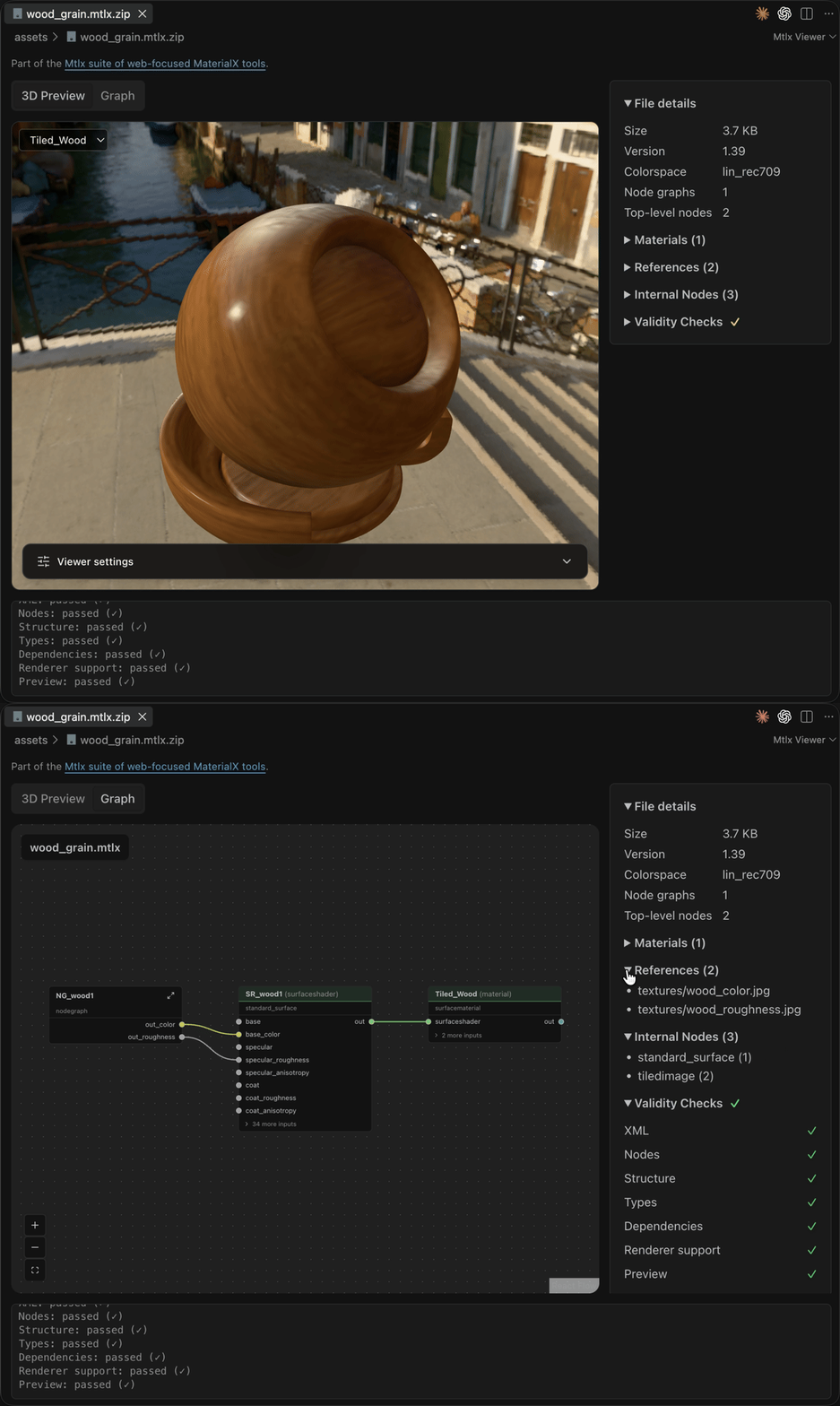
The VS Code extension puts a 3D preview, node graph, and validation next to your MaterialX files. The same project provides the browser editor and viewer on MTLX.ai.
Build your own workflow
mtlx-cli
Check, inspect, package, convert, render, and preview .mtlx files locally. Log in with the same mtlx command to upload, search, or download materials on MTLX.ai.
mtlx-core and mtlx-sdk
Use mtlx-core to parse and transform MaterialX in TypeScript or JavaScript. Use mtlx-sdk when your code needs to talk to the MTLX.ai material library.
MCP for agents
Run mtlx mcp to give an MCP-compatible agent tools for checking, inspecting, rendering, and editing a local material.
One CLI, local files and the library
npm install -g mtlx-cli

mtlx check material.mtlx
mtlx view material.mtlx
mtlx x material.mtlx -o material.mtlx.zip

mtlx login
mtlx search brick
mtlx upload brick.mtlx.zip --name brick --user your-username --visibility PUBLIC
mtlx download your-username/brick --output brick.mtlx.zip
Work locally without an account. Sign in with mtlx login when you want to save a material to MTLX.ai. Public uploads are free; private storage needs a paid plan.